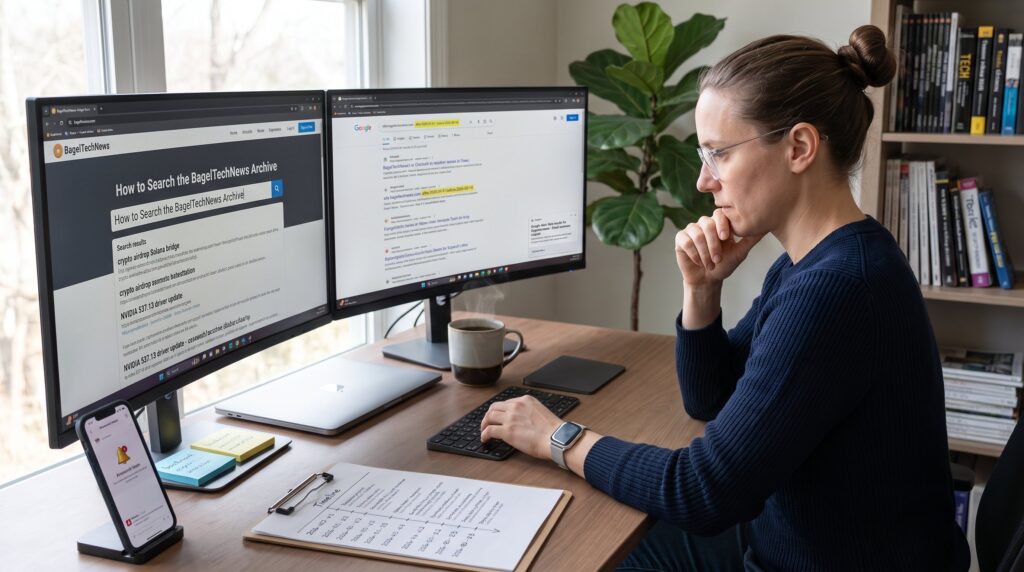
How to Search the BagelTechNews Archive starts with a clear goal: find the exact crypto, gaming, or tech story needed without wasting time. This guide gives practical steps for preparing queries, using the site search, and extending searches via Google. It also shows how to save and monitor results for ongoing research. Readers will get concrete examples, boolean patterns, and honest trade-offs encountered when tracking fast-moving topics on BagelTechNews.
Key Takeaways
- Searching the BagelTechNews archive effectively requires focused keywords, date ranges, and category filters to quickly find relevant crypto, gaming, or tech stories.
- Use precise phrases and Boolean operators like AND, OR, and NOT in the on-site search box to narrow down results and avoid irrelevant articles.
- When on-site search limitations arise, enhance queries with Google site: searches and date parameters to access specific historical data.
- Bookmark exact search URLs, set up Google Alerts for ongoing monitoring, and manually export key metadata to maintain an organized research workflow.
- BagelTechNews archives offer unique, concise niche coverage for detailed tracking of fast-moving topics like crypto forks and hardware updates, saving time for researchers and beginners alike.
Why Use The BagelTechNews Archive For Research And News Tracking
BagelTechNews archives hold targeted niche coverage that often appears nowhere else: concise reports on crypto forks, esports patches, and hardware teardowns. Researchers choose the archive because it groups day-to-day headlines with vertical reporting, Crypto, Gaming Geeks, Hardware, and Media, so a single site search returns sector-focused results rather than broad mainstream noise. For example, a search for a token fork or a GPU driver rollback on BagelTechNews often surfaces a short explainer and links to primary sources in one article.
Why this matters: journalists and analysts save time when they can find timeline details (dates, version numbers, patch names) in one place. Beginners benefit too: the site’s concise summaries reduce the need to comb multiple long-form sources. For background on the site’s scope and beats, the archive pairs well with the site primer that explains BagelTechNews’ coverage in more depth in its pillar overview, which experienced readers use to orient their searches (site overview).
Preparing Your Search: Keywords, Date Ranges, And Filters
Start searches by stating the fact: narrow keywords plus a date window return the most relevant archive hits. Pick 2–4 focused keywords: one primary topic (crypto, GPU, esports), one entity (project name, studio, chip model), and an action word (launch, exploit, patch). Example: “crypto airdrop Solana bridge”.
Use date ranges to filter noise. If researching a 2026 vulnerability, add after:2026-01-01 and before:2026-09-14 in off-site queries (see the Google section later). On-site, simulate ranges by adding the year or month to your keyword string: “May 2026 airdrop” or “2026 GPU driver rollback.” This reduces irrelevant older explainers.
Leverage category labels as filters. BagelTechNews organizes posts under categories like Crypto, Gaming Geeks, Hardware, and Media, include those words in queries to bias results toward the right vertical. When unsure which category fits, start broad and then refine by adding the category term: “NFT market Crypto”.
Practical warning: BagelTechNews’ archive pages may not expose an explicit date-range UI. When a formal filter is absent, rely on stronger keywords and off-site search operators to enforce time boundaries. For guidance on evaluating claims found during search, pair findings with techniques from the site’s article on evaluating gadget and product claims (evaluate claims).
On‑Site Search: Step‑By‑Step Guide To The BagelTechNews Search Box
Answer first: use the on-site search box with precise phrases, category terms, and operator-like patterns to find focused results.
Step 1, Start with a precise phrase. Type exact article titles or quoted phrases: “Ethereum fork” or “season 5 patch notes.” Quoted phrases return pages where those words appear consecutively.
Step 2, Combine topic and category. Use patterns like: crypto + “airdrops” + “2026” or gaming + “patch notes” + “esports”. This mimics filter behavior even if the UI lacks advanced toggles.
Step 3, Filter by entity names. Add company or product names: “NVIDIA 537.13” or “Fortnite v29.2” to find technical posts and follow-up coverage.
Step 4, Scan result snippets for dates and source links. BagelTechNews writes compact ledes that include numbers or version strings: those make it quick to decide which result to open.
Common mistakes: using too many generic words (“update”, “news”) dilutes results: placing site category only in the search box without the topic often returns broad lists. If the on-site search fails to locate an old story, use the off-site Google approach next.
Links in this section: for readers tracking daily headlines after locating an item, BagelTechNews maintains a live collection of top stories that helps place an archive find into context (daily headlines).
Boolean Operators, Exact Phrases, And Practical Search Examples
Key point: Boolean logic and exact phrases let researchers shape results precisely. Use standard operators: AND, OR, NOT (uppercase) and quotation marks for exact phrases.
Examples that work on many search systems and often transfer to site search boxes:
- Exact phrase: “crypto rug pull”, returns articles with that phrase.
- AND logic: crypto AND airdrop, forces results to include both terms.
- OR logic: “GPU” OR “graphics card”, broadens terms.
- NOT logic: “Solana” NOT “NFT”, excludes NFT-heavy pages.
Practical patterns for BagelTechNews searches:
- Narrow by type: “bug bounty” AND “2026” AND “exchange”.
- Find explainers: “what is” AND “layer 2” AND “BagelTechNews”.
- Exclude reviews: “wallet” NOT “review”.
Honest note: not all on-site search engines honor Boolean syntax identically. When the site ignores operators, switch to Google site: queries described in the next section.
Helpful internal links in this section: when parsing media coverage and headlines around a specific event, cross-check with the site brief that compiles must-read tech items to confirm timelines (must-read chips).
Saving, Monitoring, And Exporting Archive Results For Ongoing Tracking
Straight fact: set up a reproducible monitoring workflow so discoveries remain actionable. Use three simple steps: bookmark, monitor, and export.
Step 1, Bookmark clean queries. Save the exact query URL (Google site: query or the on-site search result list). Name bookmarks with dates and topic tags, e.g., “2026-08 GPU bug, Bagel”.
Step 2, Monitor with alerts. If BagelTechNews lacks native alerts, create Google Alerts using the site: pattern (site:bageltechnews.com “crypto fork”) and receive new matches by email. For teams, push those alerts into a shared Slack channel or an Airtable tracking base.
Step 3, Export summaries. Open each article and copy key metadata: title, author, publish date, one-line lede, and source links. Store as CSV or paste into a notes app. For quantitative tracking, capture version numbers, patch IDs, and dates in dedicated fields, these let analysts compute timelines (for instance, how many days elapsed between patch announcement and fix).
Practical limitations and advice: BagelTechNews does not currently document a built-in export API. That means manual export or light automation using RSS (if available) or page-scraping tools. Be transparent about data provenance in reports and always link back to the original article for verification.
Additional internal link: for context on how BagelTechNews frames daily items and what to expect from briefs, refer to the site’s daily briefing overview (daily briefing).