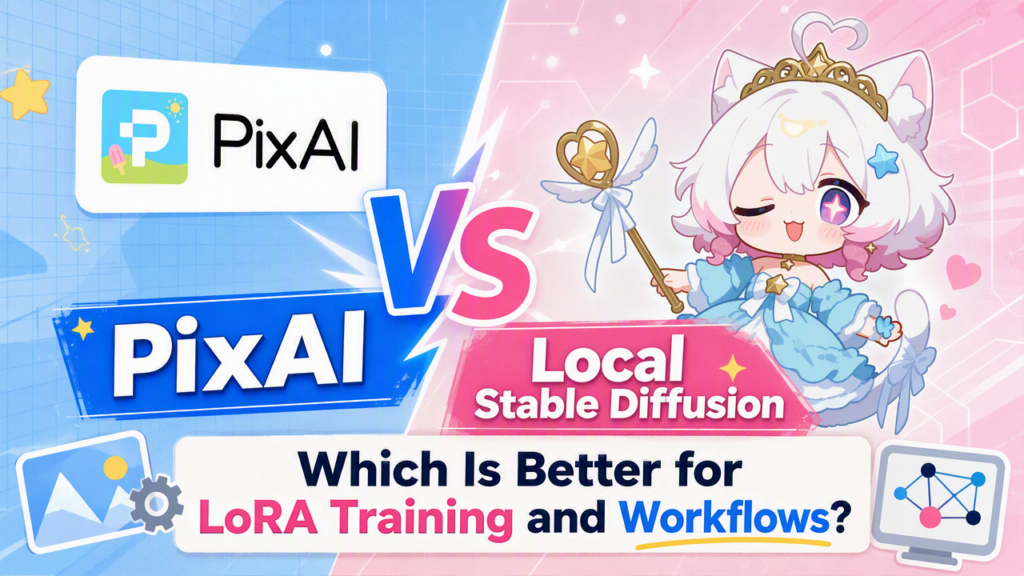
When building LoRAs for anime art, you will likely choose between PixAI and a local Stable Diffusion setup. Both can deliver incredible results, but they serve completely different types of creators.
I spent days working with both platforms, and the experience was worlds apart. Going with Local Stable Diffusion gives you full control over your art but requires a steep learning curve and an expensive hardware setup.
On the other hand, PixAI strips away the technical headaches by keeping your training and image generation under one simplified web interface, but you’re restricted to the available tools.
So, which approach makes more sense when you’re trying to train a character or style LoRA and use it consistently across your artwork? Let’s find out by looking at everything from prepping your datasets and selecting a base model to testing the LoRA and building a workflow that won’t frustrate you.
PixAI vs Local Stable Diffusion for LoRA Training
|
Area |
PixAI |
Local Stable Diffusion |
|
Setup |
Online and easier to start |
Requires local setup |
|
Hardware |
No powerful local GPU required |
High-end hardware |
|
LoRA training |
Built into an online workflow |
Requires separate training tools or interfaces |
|
Training control |
More streamlined |
Extensive control |
|
Model choice |
Anime-focused ecosystem |
Extremely broad ecosystem |
|
LoRA testing |
Easy to test within the platform |
Full control over the testing environment |
|
Troubleshooting |
Less technical setup to manage |
More responsibility for the user |
|
Customization |
Easier but more structured |
Highly customizable |
|
Limitations |
Strict content moderation |
No censorship. |
|
Best for |
Anime creators who want a simpler workflow |
Advanced users who want maximum control |
The Biggest Difference Is the Workflow
To see the real difference between PixAI and a Local Stable Diffusion setup, you have to look at your actual day-to-day routine. With the latter, you own the entire pipeline, and your workflow might involve collecting and preparing images, installing a training interface, choosing a base model, configuring training parameters, monitoring VRAM usage, training LoRA, testing it, and repeating the process again if something isn’t working.
It gives you incredible freedom, but it also means every single system crash or bad checkpoint is your problem to solve. PixAI starts by erasing Local Stable Diffusion’s infrastructure barrier. It lets you upload your illustrations, train in the cloud, and test results instantly in a single continuous anime art ecosystem.
Local Stable Diffusion Gives You More Control
If your top priority is absolute customization, Local Stable Diffusion is almost impossible to beat. You aren’t locked into one website’s interface or workflow. You can handpick your interfaces, training scripts, samplers, checkpoints, extensions, and schedulers based on the exact project you are building.
You can also control the training environment itself. Want to change the learning rate, alter the number of training steps, or experiment with complex optimizers and network dimensions? You can change literally whatever you want.
If you know how to balance these settings, it’s a total game-changer because you can design a workflow around your specific dataset rather than relying on a simplified training interface.
But there’s a trade-off. You absolutely need the hardware to pull this off. That means having enough VRAM to avoid crashes, plenty of hard drive space for massive models, and enough patience to troubleshoot when everything breaks. If you’re new to LoRA training, staring at that endless list of technical settings can get overwhelming fast.
PixAI Makes LoRA Training Easier to Get Into
PixAI takes a totally different, much simpler path. Instead of forcing you to build a messy training setup yourself, it lets you train LoRAs inside an online platform that’s built from the ground up for anime art.
This matters because LoRA training isn’t just a “set it and forget it” kind of thing. Once your LoRA is ready, you want to throw prompts at it to see what it can actually do. Can handle new outfits, switch up the environments, and accept different weights without breaking the character’s face?
Pixai keeps those generation tools sitting right next to your training dashboard, making it easier to experiment. Plus, its active community and anime-centric library mean you have an entire ecosystem of models to test alongside your own work.
PixAI vs Local Stable Diffusion: Training a Character LoRA
Let’s say you’ve sketched out an awesome original anime character and want a LoRA that can replicate them across a bunch of different scenes. Your very first task is building a solid dataset.
This is important regardless of the platform because no piece of software can magically fix a bad batch of source images. You still need clean shots that show off the character from different angles with enough variation for the model to learn the features you actually care about.
With Local Stable Diffusion, you take that dataset and start experimenting with the technical configuration yourself. It’s perfect if you already know the ropes and want to squeeze more out of your dataset.
PixAI is the better option if you just want to go from a folder of images to a working LoRA without building your own training setup. Another amazing thing about PixAI here is that it gives you a much faster feedback loop.
Once you train the LoRA, you can use it to generate images quickly and fix any issues. The faster you can make that loop happen, the quicker you’ll actually master LoRA training.
Where Local Stable Diffusion Pulls Ahead
You can go much deeper.
If you’re already comfortable with LoRA training, you may eventually find simplified online tools restrictive. You might want to change a hidden setting, use a particular training script, or combine three different tools into your own custom pipeline.
A Local Stable Diffusion setup gives you the freedom to do pretty much whatever you want. Plus, you keep everything on your own control rather than depending on a platform’s available models, training options, storage, or interface.
For technical power users, that freedom is worth every bit of the hassle. But you have to ask yourself if you actually need it. There’s really no benefit to having a million advanced options if you’re spending all your time most of your time figuring out what each setting does instead of creating art.
Where PixAI Has the Better Workflow
PixAI becomes way more attractive when you just want to experiment without dealing with backend headaches.
After all, if you are training an original character LoRA, you don’t want to spend hours tweaking script settings. You just want to see if the LoRA can accurately replicate your character’s face.
PixAI lets you quickly test how the features handle drastic wardrobe changes, complex poses, or entirely different art styles. Having everything built into one website saves you a ton of friction.
Plus, PixAI hooks you up with a massive community model library right out of the box. For anyone still trying to figure out how LoRAs even behave, being surrounded by working examples is a hell of a lot more helpful than staring at a completely empty Local Stable Diffusion setup.
In addition, the platform gives you access to community models and LoRAs. If you’re still trying to figure out how LoRAs even behave, being surrounded by working examples is a lot more helpful than staring at a completely empty Local Stable Diffusion setup.
Hardware Requirements
With PixAI, your computer isn’t really part of the equation. The training happens on PixAI’s cloud servers, so you can open it in a browser or use the mobile app without worrying about having a powerful GPU. You can use it with pretty much any laptop, and you don’t need to clear out hundreds of gigabytes just to store checkpoints and models.
Local Stable Diffusion runs all of that on your computer, which means you need capable hardware to ensure your LoRA training goes smoothly. While you can get by with 4-6GB of VRAM for image generation in some setups, LoRA training is much more demanding. You want at least 8-12GB of VRAM, with cards like the RTX 3060 12GB being a popular starting point. Throw in at least 16 GB of system RAM and a spacious SSD, and the entry cost climbs quickly.
If your hardware isn’t up to the job, training can run out of memory or take hours longer than expected.
With PixAI, you can jump straight into training and testing your LoRA. But if you choose Local Stable Diffusion, your first real task has nothing to do with art. It’s making sure your PC actually has the muscle to handle what you’re about to throw at it.
Final Thoughts
If you’re the kind of person who enjoys experimenting with training settings, swapping models, managing datasets, and building your own setup from the ground up, local Stable Diffusion gives you plenty to work with. You can keep pushing your setup as far as your hardware will allow.
But if you just want to train a cool anime character or style LoRA and get straight to making art, PixAI is way easier to deal with. You don’t have to get a high-end computer or jump between different tools just to go from a dataset to a finished image. You can train your LoRA, test it, and use it to generate in one tab.
For beginners, that’s the best way to start. You can train and use LoRAs with minimal technical know-how and without a complex local setup. If you eventually reach a point where you want absolute control over every tiny detail, you can always switch to Local Stable Diffusion later. By then, you will actually know exactly which levers are worth pulling.