It is 9:00 PM on a Sunday. You have a final-round portfolio review tomorrow for a Senior Product Designer role. Your Figma files are pristine, your interactive prototypes are flawless, and your component library is perfectly organized.
But your presentation deck is a complete disaster.
You are staring at 40 disconnected artboards, wondering how to string them together into a coherent story. You know that hiring managers do not want to watch you quietly scroll through a gallery of high-resolution mockups. A Dribbble shot proves you can make things look good, but a portfolio presentation must prove that you can think. They want to see the business problem, the engineering constraints, the failed wireframes, and the strategic rationale.
But after spending six months deep in the trenches of a product sprint, translating that massive, messy journey into a crisp 20-minute slide deck is a grueling editorial task. You are too close to the work. You suffer from pixel-blindness.
To survive the live portfolio review, you need to decouple the narrative structure from the visual design.
The “Synthesis Engine” for Designers
Designers often resist presentation software because it feels clunky compared to their native design tools. But treating your presentation like another Figma canvas is a trap. You end up spending hours tweaking corner radiuses on your slides instead of refining your speaking track.
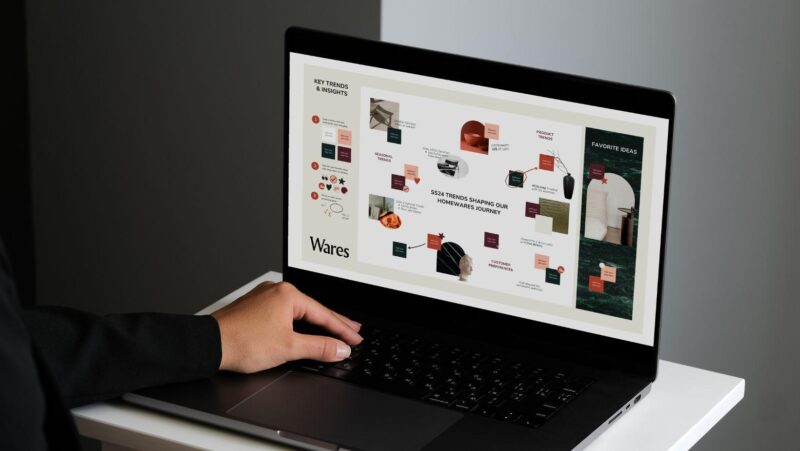
This is where leaning on an SkyClaw becomes your secret weapon. When you use a tool like Skywork, you aren’t just getting a layout generator; you are utilizing a strategic synthesis engine. You can feed the agent your unstructured, raw materials: your messy user research notes, Product Requirements Documents (PRDs), and bulleted lists of engineering constraints. The AI reads this raw text, extracts the core narrative arc, and automatically generates a structured storyboard. It translates your dense process into clean, geometrically balanced presentation slides, allowing you to focus entirely on the “why” instead of the “where does this text box go.”
Here is how to use AI synthesis to build a portfolio deck that proves your strategic value and lands the job.
Strategy 1: Escaping the “Ta-Da!” Reveal
The most common way junior designers fail a portfolio review is the “Ta-Da!” reveal. They spend exactly one slide briefly mentioning the user problem, and then immediately jump to 15 slides showing off the final, polished UI.
Senior hiring panels (which usually include Product Managers and Engineering Leads) do not care about the final polish as much as they care about the messy middle. They want to know how you handle friction. What happened when the usability test proved your initial hypothesis completely wrong? How did you pivot when the lead engineer told you the API couldn’t support your animation?
You must structure your deck to highlight the struggle.
Instead of trying to manually outline this journey, prompt your AI agent: “Analyze these raw notes from our Q3 user testing phase. Generate a 3-slide sequence titled ‘The Pivot.’ Slide 1: The Initial Hypothesis (Wireframe). Slide 2: The Usability Failure (The Friction Point). Slide 3: The Revised Solution.”
By forcing the AI to build this specific sequence, you are actively proving your maturity as a designer. You are showing the room that you are not precious about your initial ideas, and that you let data drive your design decisions.
Strategy 2: Translating Pixels into Business Value
UI is aesthetics; UX is business.
If your presentation only talks about “reducing cognitive load,” “improving accessibility,” or “creating a delightful micro-interaction,” you will win over the other designers in the room, but you will lose the Product Director. You have to speak the language of ROI. Every design decision must tie back to a business metric.
Designers often struggle with this translation. AI excels at it.
You can feed your design outcomes into the presentation agent and ask it to perform a “Business Translation.”
- Your Input: “We simplified the multi-step checkout form into a single-page accordion layout to reduce friction.”
- The AI Prompt: “Translate this UX update into a ‘Business Impact’ slide. Connect the simplified checkout flow to the 12% increase in completed purchases and the estimated $500k in recovered annualized revenue. Visualize this with a bold, contrasting metric callout.”
When the Product Director sees a massive “+12% Conversion” visually dominating the slide, next to a small screenshot of your accordion layout, they instantly understand your value. You aren’t just a pixel-pusher; you are a revenue generator.

Strategy 3: The “Macro to Micro” Cadence
A major mistake in portfolio decks is throwing an entire, microscopic User Journey Map or a massive Service Blueprint onto a single slide. It is completely unreadable on a conference room TV or a Zoom screen. The audience squints, gets frustrated, and stops listening to you.
As a UX designer, you should know better: you are violating the user’s cognitive load.
To present complex systems, you must use a “Macro to Micro” cadence. You have to pace the delivery of information.
Instead of fighting with cropping tools and layer visibility, instruct your AI slide builder to break the complexity down for you.
- “Take this complex 6-step user journey. Break it across four slides. Slide 1: The high-level macro view (just the 6 steps, no details). Slide 2: Zoom in specifically on Step 3, highlighting the user’s frustration. Slide 3: Display the specific UI component we designed to fix Step 3.”
This rhythmic pacing guides the hiring panel’s eyes exactly where you want them to go. You are walking them through the architecture of the problem before you show them the paint on the walls.
The Final Polish: Treat the Panel as the User
The ultimate irony of the UI/UX portfolio review is that designers often forget to apply their own skills to the presentation itself.
The hiring panel is your user. The conference room (or the Zoom call) is the environment. The presentation deck is the interface. If the interface is cluttered, confusing, or lacks a clear hierarchy, you have provided a terrible user experience.
Do not let the exhaustion of formatting slides ruin the incredible product work you have done over the last year. By integrating an AI presentation agent into your workflow, you outsource the structural formatting and visual translation to the machine. You elevate yourself from the weeds of slide design and step into the room as a strategic design leader. Let the AI build the narrative framework; you tell the story that gets you hired.