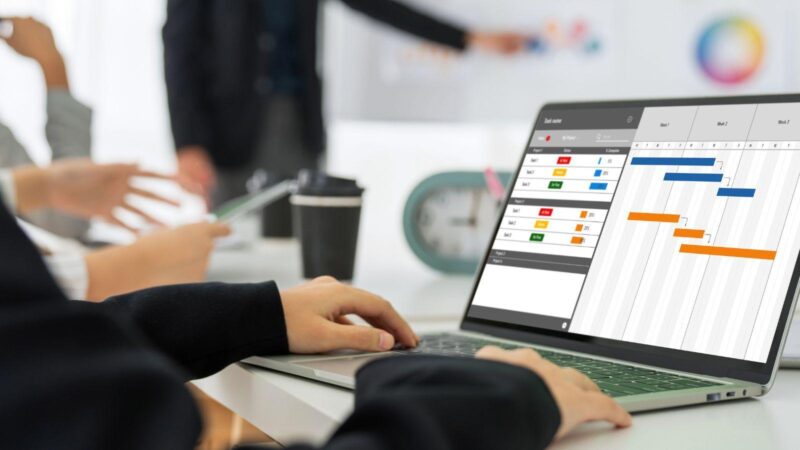
Picture this: It’s 7:58 a.m. on a Monday. Your phone buzzes—two employees called in sick, one swapped shifts last minute, and payroll’s due by noon. If you’ve ever felt that sinking “how do I keep this place running?” panic, you’re not alone. Here’s the part nobody tells you: most businesses don’t have a magic fix. But if you’ve wondered what is workforce management software and whether it’s the answer, you’re in the right place.
What Is Workforce Management Software?
Workforce management software is a digital tool that helps businesses plan, track, and manage their employees’ schedules, attendance, and productivity. If you’ve ever juggled spreadsheets, sticky notes, and frantic texts to cover a shift, this software replaces all that chaos with one organized system. It’s like having a personal assistant who never sleeps, never forgets, and never loses a sticky note.
Why Does Workforce Management Matter?
Let’s break it down. Imagine a coffee shop with 20 baristas. Without a system, you might double-book someone or leave a shift uncovered. That means angry customers, stressed staff, and lost sales. Workforce management software keeps everyone in sync. It tracks who’s working, who’s available, and who’s about to hit overtime. The result? Fewer mistakes, happier employees, and more money in your pocket.
Key Features of Workforce Management Software
- Scheduling: Drag-and-drop tools let you build weekly or monthly schedules in minutes. No more endless email chains.
- Time and Attendance: Employees clock in and out with a tap or a click. The software records hours automatically, so you don’t have to chase down timesheets.
- Leave Management: Track vacation, sick days, and personal time. Approve or deny requests with a single click.
- Payroll Integration: Export hours directly to payroll. No more manual calculations or missed overtime.
- Compliance Tracking: Get alerts if someone’s about to break labor laws or company policies.
See who’s always late, who’s working too much, and where you can save money.
Who Needs Workforce Management Software?
If you run a business with hourly workers—think restaurants, retail, healthcare, call centers—workforce management software can save you hours every week. But it’s not just for big companies. Even a small team can benefit. If you’re still using paper schedules or Excel, you’ll feel the difference right away.
But here’s the truth: If you have a team of one or two, or if everyone works the same hours every day, you might not need it. Don’t buy a power drill to hang a single picture frame.
Real-World Example: The Bakery That Couldn’t Keep Up
Let’s get specific. Sarah runs a bakery with 12 employees. Every Friday, she’d spend two hours texting everyone about next week’s shifts. Someone always missed a message. One Saturday, she had three bakers show up for the same shift—and no one to run the register. Customers left. Sarah lost $400 in sales that morning alone.
After switching to workforce management software, Sarah built schedules in 15 minutes. The app sent automatic reminders. No more missed shifts. Her staff felt less stressed, and she got her Friday nights back. That’s the kind of transformation we’re talking about.
Common Mistakes and Lessons Learned
Here’s what nobody tells you: The software won’t fix bad communication overnight. If you don’t set clear rules—like how far in advance to request time off—no app can save you. I’ve seen teams ignore the notifications, then blame the software. The lesson? Set expectations, train your team, and use the software as a tool, not a crutch.
How Does Workforce Management Software Work?
Step 1: Set Up Your Team
Add employees, set roles, and define availability. Most platforms let staff update their own info, which saves you time.
Step 2: Build Schedules
Use templates or start from scratch. Drag and drop shifts, assign roles, and fill gaps. The software flags conflicts or overtime risks.
Step 3: Track Time
Employees clock in and out using their phones, a tablet, or a computer. The system logs hours in real time.
Step 4: Approve Time Off
Requests pop up in your dashboard. Approve or deny with a click. The schedule updates automatically.
Step 5: Run Payroll
Export hours to your payroll provider. No more manual entry or late-night math.
Benefits You’ll Actually Notice
- Less time spent on admin work—sometimes up to 70% less
- Fewer scheduling mistakes and no-shows
- Happier employees who know their hours in advance
- Better compliance with labor laws
- More accurate payroll and fewer disputes
If you’ve ever lost sleep over a missed shift or a payroll error, you’ll feel the difference fast.
What to Look for When Choosing Workforce Management Software
Not all platforms are created equal. Here’s what matters:
- Ease of use: If it takes a week to learn, your team won’t use it.
- Mobile access: Your staff should check schedules and clock in from their phones.
- Integration: Make sure it works with your payroll and HR systems.
- Support: Look for real people you can call or chat with when you need help.
- Cost: Some charge per user, others per location. Know what you’re paying for.
Try a free trial before you commit. If it feels clunky, keep looking.
What Is Workforce Management Software Not Good For?
Here’s the honest part: Workforce management software won’t fix a toxic culture or a broken business model. It won’t make lazy employees show up on time. It’s a tool, not a miracle. If your team resists change or hates technology, expect some bumps. But with patience and clear communication, most teams adapt quickly.
Next Steps: Is Workforce Management Software Right for You?
If you’re tired of last-minute scrambles, payroll headaches, or endless scheduling drama, it’s time to try workforce management software. Start small. Test a few platforms. Ask your team for feedback. The right software can give you back your time—and maybe even your sanity.
Still wondering what is workforce management software? It’s the difference between chaos and control, stress and confidence. If you’re ready for a change, now’s the time to make it.